
|
Getting your Trinity Audio player ready...
|
The asus zenbook duo 14 is one of the most unique laptops in the premium ultrabook category. Unlike traditional laptops, it comes with a dual-screen design, making it especially appealing to content creators, professionals, and multitaskers. If you are someone who works with multiple apps, documents, or creative tools at the same time, this laptop promises to change the way you work.
In this detailed review, we will explore every important aspect of the asus zenbook duo 14, including design, display, performance, gaming experience, cooling, battery life, and whether it is worth your money in the long run.
Asus ZenBook Duo 14 Overview
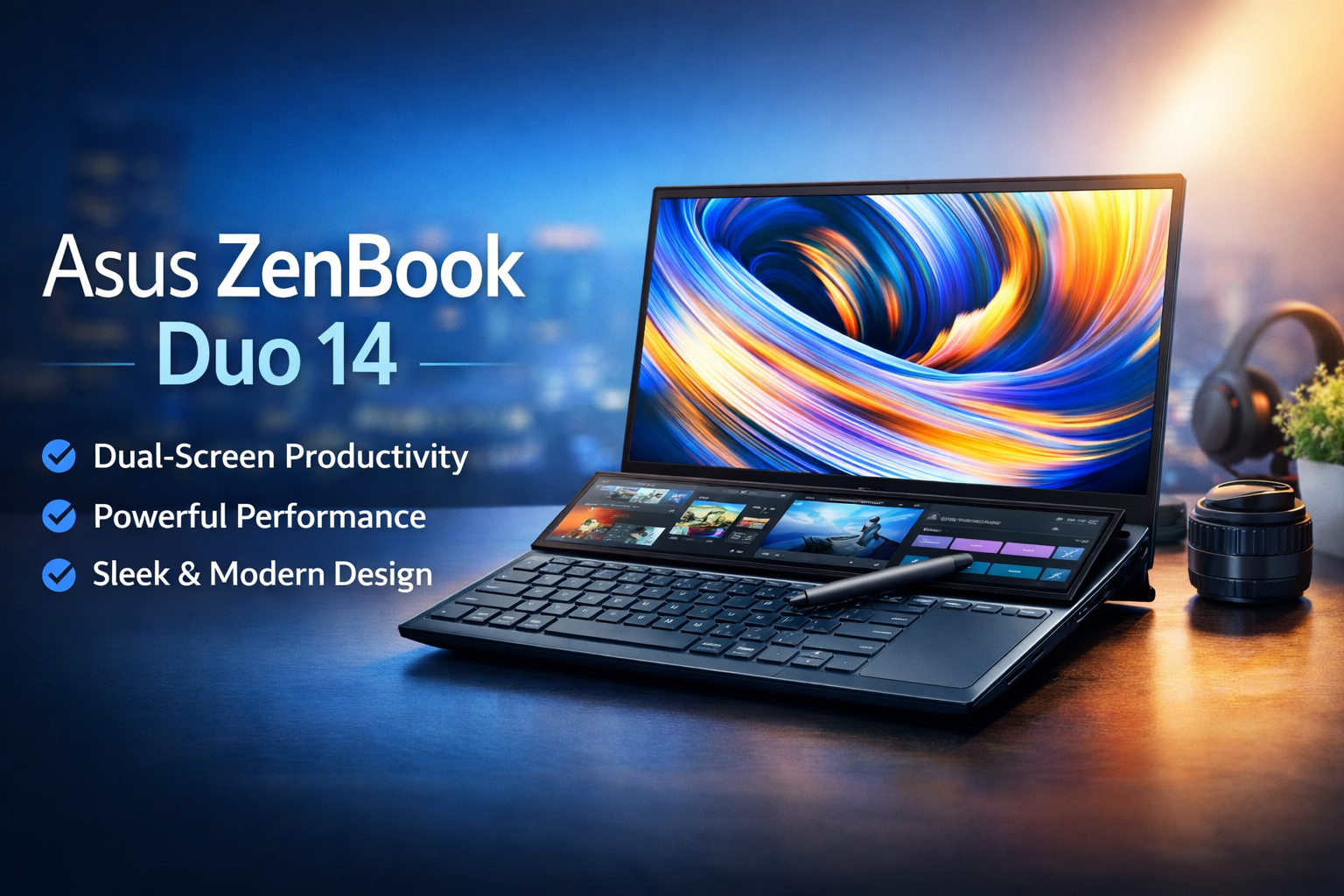
The asus zenbook duo 14 is designed for users who need more screen space without carrying an external monitor. It features a traditional 14-inch main display along with a secondary ScreenPad Plus placed above the keyboard.
This laptop is targeted at:
- Professionals working with spreadsheets and documents
- Content creators and video editors
- Students who multitask heavily
- Business users who value productivity and portability
Asus focuses on blending innovation, performance, and premium design, making this laptop stand out in a crowded ultrabook market.
Asus ZenBook Duo 14 Specifications
| Specification Category | Details |
|---|---|
| Model Name | Asus ZenBook Duo 14 |
| Display Type | Main: 14.0″ Full HD IPS / Secondary: ScreenPad Plus |
| Main Display Resolution | 1920 x 1080 (Full HD) |
| Screen Refresh Rate | 60Hz |
| Touchscreen | Secondary ScreenPad Plus: Yes |
| Processor Options | Intel Core i5 / Intel Core i7 (11th / 12th Gen) |
| Graphics | Integrated Intel Iris Xe Graphics |
| RAM | 8GB / 16GB LPDDR4X |
| Storage | 256GB / 512GB / 1TB PCIe Gen3 SSD |
| Operating System | Windows 10 Home / Windows 11 Home |
| Audio System | Harman Kardon-tuned speakers |
| Battery Capacity | 70Wh (typical) |
| Charging | Fast Charging Support |
| Keyboard | Backlit Chiclet Keyboard |
| Touchpad | Located beside keyboard (Precision Touchpad) |
| Wireless Connectivity | Wi-Fi 6 (802.11ax), Bluetooth 5.0 |
| Ports | USB-C (Thunderbolt), USB-A, HDMI, Audio Jack |
| Weight | Approx. 1.6 kg |
| Build Material | Aluminum Alloy |
| Color Options | Celestial Blue / Silver |
| Security | Fingerprint Reader (optional) |
| Included Accessories | Charger, USB-C Adapter (varies by region) |

Asus ZenBook Duo 14 Design and Build Quality
When it comes to design, the asus zenbook duo 14 looks premium and modern. The laptop has a slim metal body with Asus’s signature ZenBook finish, giving it a professional appearance suitable for office and creative environments.
Key Design Highlights:
- Compact and lightweight for a dual-screen laptop
- Strong aluminum build with minimal flex
- Ergonomic hinge that slightly lifts the ScreenPad Plus for better viewing angles
- Comfortable palm rest despite the shifted keyboard layout
The keyboard is placed closer to the front, and the touchpad sits on the right side. While this layout may feel unusual at first, most users adapt quickly after a few days of use.
Overall, the asus zenbook duo 14 feels sturdy, premium, and well-engineered for daily use.
Asus ZenBook Duo 14 Display Quality
Dual-Screen Experience Explained
The biggest highlight of the asus zenbook duo 14 is its dual-display setup.
- Primary Display: 14-inch Full HD or higher resolution panel
- Secondary Display (ScreenPad Plus): Wide touchscreen above the keyboard
The main display offers:
- Sharp visuals
- Accurate colors
- Good brightness for indoor and office use
The ScreenPad Plus is highly useful for:
- Keeping chat apps open while working
- Extending video editing timelines
- Displaying toolbars in creative software
- Multitasking with browsers and documents
This setup significantly improves workflow efficiency. Once you get used to it, going back to a single-screen laptop feels limiting.

Asus ZenBook Duo 14 Performance and Daily Usage
Performance is another strong area of the asus zenbook duo 14. It is powered by modern Intel processors and fast SSD storage, making it smooth for everyday tasks.
Performance Capabilities:
- Fast boot times
- Smooth multitasking with multiple apps open
- Reliable performance for office work and browsing
- Handles creative software like photo and light video editing well
For users who frequently work with:
- Microsoft Office
- Google Chrome (multiple tabs)
- Photoshop and similar tools
- Coding environments
…the asus zenbook duo 14 performs confidently without lag.
This laptop is built for productivity rather than raw gaming power, and it excels in that role.
Asus ZenBook Duo 14 Gaming Experience
The asus zenbook duo 14 is not a gaming laptop, but casual gaming is still possible.
Gaming Performance:
- Light games and older titles run smoothly
- Esports games can be played at medium settings
- Not ideal for modern AAA games
The integrated graphics are sufficient for:
- Casual gaming
- Indie games
- Strategy or simulation games
If gaming is your main priority, a dedicated gaming laptop would be a better choice. However, for occasional gaming after work, the asus zenbook duo 14 does a decent job.
Asus ZenBook Duo 14 Cooling and Thermal Management
With dual screens and powerful internals, cooling is crucial. Asus has done a good job with the thermal design of the asus zenbook duo 14.
Cooling Performance:
- Efficient airflow design
- Fans remain quiet during light tasks
- Slight fan noise under heavy load, but nothing distracting
- Laptop stays comfortable for lap use during normal work
Even during extended multitasking sessions, the system manages heat well without major throttling. This ensures consistent performance for professionals who work long hours.
Asus ZenBook Duo 14 Battery Life
Battery life is always a concern with dual-screen laptops. The asus zenbook duo 14 delivers respectable battery performance considering its hardware.
Battery Experience:
- Lasts a full workday with moderate usage
- Battery life varies depending on ScreenPad usage
- Power-saving modes help extend usage time
- Fast charging support adds convenience
For tasks like:
- Writing
- Browsing
- Office work
- Video streaming
…the battery performs reliably. Heavy creative work or maximum brightness will reduce battery life, which is expected.

Asus ZenBook Duo 14 Keyboard and Touchpad Experience
The keyboard on the asus zenbook duo 14 offers:
- It has Good key travel
- It gives Comfortable typing experience
- Backlit keys for low-light environments
The side-mounted touchpad may feel strange initially, but it works well after some adjustment. Asus also includes smart gestures and shortcuts to improve usability.
For users who type a lot, this laptop remains comfortable even during long writing or coding sessions.
Connectivity and Ports
The asus zenbook duo 14 offers a solid selection of ports for a thin laptop:
- USB ports for accessories
- Thunderbolt support for fast data transfer
- HDMI for external displays
- Audio jack for headphones
Wireless connectivity is fast and stable, making it suitable for online meetings and cloud-based work.
Asus ZenBook Duo 14 Pros and Cons
Pros:
- It comes with Innovative dual-screen design
- It has Excellent multitasking capabilities
- It has Premium build quality
- It comes with Strong productivity performance
- It comes with High-quality display
Cons:
- It is Not suitable for heavy gaming
- Keyboard layout needs adjustment time
- It`s Battery life reduces with heavy ScreenPad usage
Final Verdict: Is Asus ZenBook Duo 14 Worth It?
The asus zenbook duo 14 is a thoughtfully designed laptop that truly improves productivity through its dual-screen setup. It is not just a gimmick — the second screen genuinely adds value for multitasking, creative work, and professional use.
With its premium build, reliable performance, and smart design choices, the asus zenbook duo 14 stands out as one of the most innovative laptops in its category. While it may not replace a gaming laptop, it excels at what it is built for: efficient, modern, and flexible work.
If you are looking for a laptop that helps you do more in less time, the asus zenbook duo 14 is definitely worth considering.