
|
Getting your Trinity Audio player ready...
|
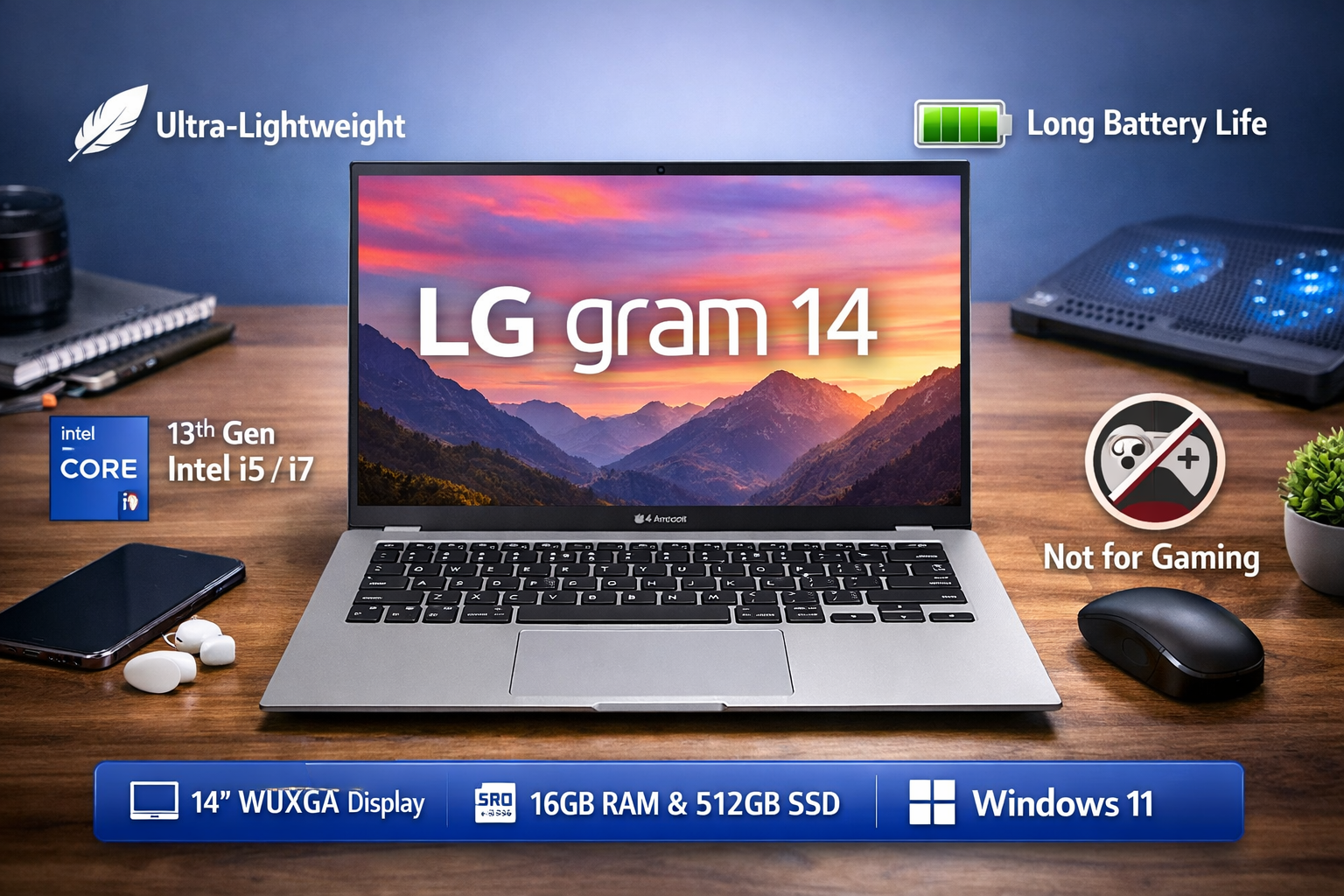
The lg gram 14 is one of the lightest premium laptops available today. It is designed mainly for students, bloggers, office workers, and travelers who need a powerful yet extremely portable machine. LG focused on three major things here: weight, battery life, and everyday performance.
Unlike bulky gaming laptops, this device prioritizes mobility. You can carry it in a backpack all day without shoulder pain. At the same time, it still offers modern hardware, a sharp display, and reliable battery backup.
Let’s understand everything in simple terms so you can decide whether it fits your needs.
Overview of lg gram 14
The lg gram 14 belongs to the ultrabook category. Ultrabooks are thin, lightweight laptops built for productivity rather than heavy gaming.
Key specifications:
• 14-inch IPS display
• Intel Core i5 / i7 13th Gen processors (varies by model)
• 16GB LPDDR5 RAM
• 512GB / 1TB NVMe SSD
• Windows 11
• Weight around 999 grams
• 72Wh large battery
The biggest highlight is the weight. It is under 1 kg, which is extremely rare for a full Windows laptop.
This makes it ideal for:
• Bloggers
• Students
• Digital marketers
• Remote workers
• Frequent travelers
Design and Build Quality of lg gram 14
The first thing you notice about the lg gram 14 is how unbelievably light it feels. When you pick it up, it almost feels like a tablet.
LG uses a magnesium alloy body instead of regular aluminum. This keeps the laptop light while maintaining strength. The laptop also passes MIL-STD-810H durability tests, meaning it can handle minor drops, vibration, and travel stress.
Other design features:
• Very thin bezels
• Full-size backlit keyboard
• Large precision touchpad
• Fingerprint reader in power button
• USB-C charging (you can use a mobile charger)
Typing experience is excellent. The keyboard is soft and comfortable, perfect for long writing sessions or blogging work.
Display Quality of lg gram 14
The display is one of the best parts of the lg gram 14.
You get a 14-inch IPS panel with:
• 1920×1200 resolution (WUXGA)
• 16:10 aspect ratio
• Anti-glare coating
The 16:10 screen is very useful. You see more content vertically, which is excellent for reading articles, editing documents, and coding.
Colors look natural and sharp. It is not a gaming display, but it is perfect for:
• Watching YouTube
• Netflix streaming
• Photo editing
• Content writing
Outdoor visibility is also good thanks to the anti-glare panel.
Performance of lg gram 14
The lg gram 14 uses Intel 13th Gen processors. For normal users, this means smooth and fast daily work.
You can easily do:
• Blogging and WordPress editing
• 20+ Chrome tabs
• Canva designing
• YouTube streaming
• Excel and Office work
• Light Photoshop
Because it has 16GB RAM and a fast SSD, the laptop feels quick in everyday tasks. Boot time is usually under 10 seconds.
However, remember — this is not a heavy workstation or gaming laptop.
Gaming Experience on lg gram 14
This is the most important clarification.
The lg gram 14 is not a gaming laptop.
It uses Intel Iris Xe integrated graphics. You can play only light or casual games:
Playable:
• Valorant (low settings)
• Minecraft
• GTA V (low settings)
• FIFA older versions
Not suitable:
• Cyberpunk 2077
• Red Dead Redemption 2
• Heavy AAA titles
If you still want to play casual games, I strongly recommend using a laptop cooling pad. Because thin laptops heat faster, a cooling pad improves performance stability and comfort.
Good affordable cooling pads:
• Cosmic Byte Cyclone
• Zebronics NC series
• Lapcare ChillMate
These reduce temperature and prevent thermal throttling.
Cooling and Thermals
Because the laptop is extremely thin, cooling is moderate.
During normal work, it stays cool and silent. The fan rarely spins loudly.
During gaming or heavy editing:
• The laptop becomes warm
• Performance slightly reduces to protect hardware
This is normal for ultrabooks. A cooling pad helps a lot here.
Battery Life of lg gram 14
Battery life is where the lg gram 14 becomes outstanding.
It has a large 72Wh battery, and because the hardware is power efficient, you get:
• 10–14 hours normal use
• 7–8 hours heavy work
• 15+ hours video playback (brightness low)
You can literally use it for a full college or office day without charging. This is one of the best battery performances in any Windows laptop.
USB-C charging is another advantage. You can even charge using a 65W Type-C adapter or power bank.
Pros and Cons
Pros
• Extremely lightweight
• Excellent battery life
• Comfortable keyboard
• Sharp anti-glare display
• Fast SSD performance
• USB-C charging
Cons
• Not suitable for heavy gaming
• Speakers are average
• Premium price
• Limited GPU power
Final Verdict on lg gram 14
The lg gram 14 is not built for gamers or video editors. It is built for productivity and portability. If your work includes blogging, online classes, office tasks, or travel usage, this laptop is almost perfect.
You get a powerful processor, long battery life, and a feather-light design in one machine. That combination is rare in Windows laptops.
Who should buy it:
Students, writers, bloggers, digital marketers, and business users.
Who should avoid it:
Hardcore gamers and heavy video editors.
Overall, the lg gram 14 is one of the best ultralight laptops for daily work. It is a long-term reliable investment, especially if your priority is comfort, portability, and all-day battery rather than gaming power.