
|
Getting your Trinity Audio player ready...
|
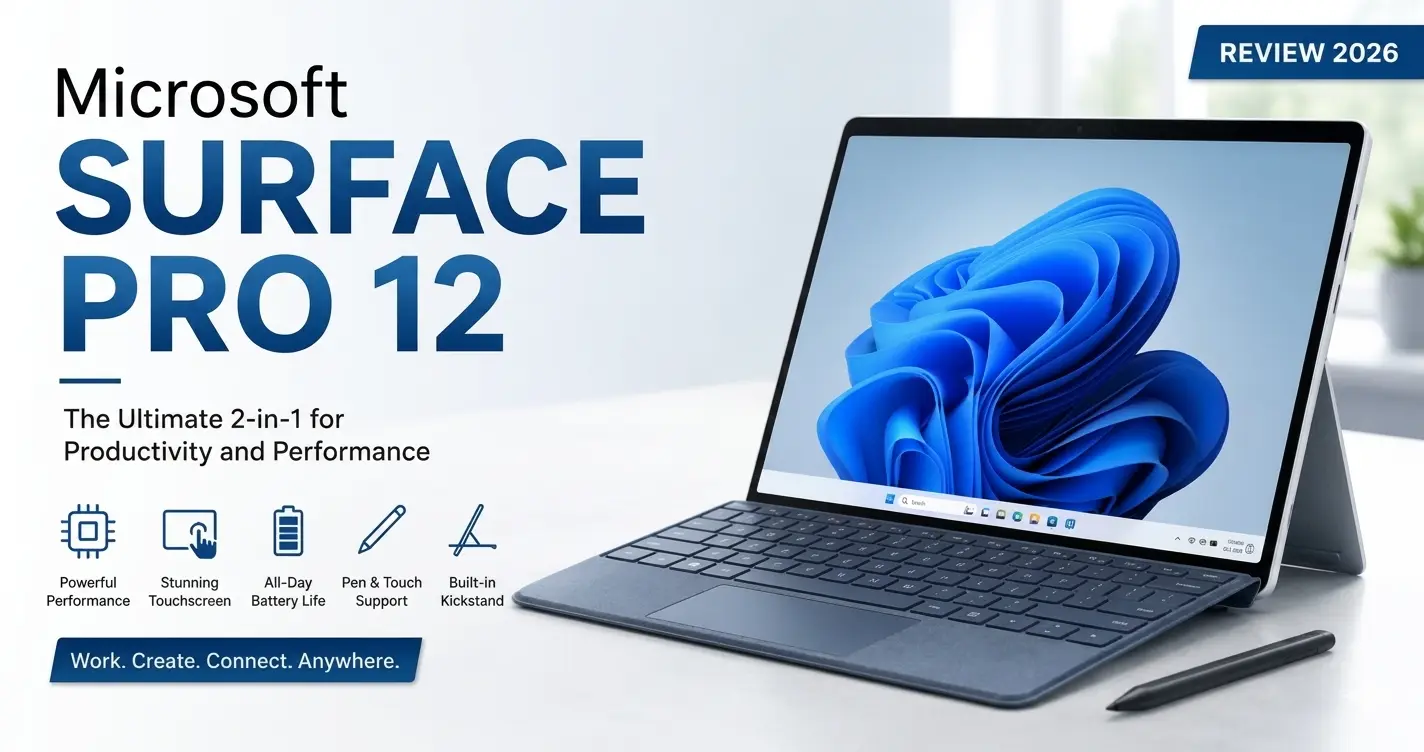
The Microsoft Surface Pro 12 continues Microsoft’s vision of blending a tablet and laptop into one premium device. Designed for students, professionals, creators, and casual users, this latest Surface device focuses on portability, AI-powered productivity, long battery life, and a premium Windows experience.
In 2026, the competition in the premium 2-in-1 market is stronger than ever, but the Microsoft Surface Pro 12 still stands out because of its lightweight design, sharp touchscreen display, and smooth everyday performance. Whether you want a portable work machine, a travel-friendly laptop, or a flexible tablet for entertainment, this device aims to handle all of it.
This detailed review explains everything you need to know about the Microsoft Surface Pro 12 in simple and beginner-friendly language.
Design and Build Quality
One of the biggest strengths of the Microsoft Surface Pro 12 is its premium design. Microsoft has refined the Surface lineup over the years, and this model feels polished and modern.
The body uses high-quality aluminum materials that make the device feel durable without becoming too heavy. It is slim, lightweight, and easy to carry in backpacks or handbags.
Design Highlights
- Thin and lightweight body
- Premium aluminum finish
- Adjustable kickstand
- Comfortable portability
- Minimal and professional look
The built-in kickstand remains one of the best features of the Microsoft Surface Pro 12. It allows users to adjust viewing angles easily, making it useful for typing, streaming, sketching, or presentations.
The keyboard attachment feels comfortable for long typing sessions, while the trackpad is responsive and smooth.
Overall, the Microsoft Surface Pro 12 looks and feels like a premium productivity device.

Gaming Experience
Although the Microsoft Surface Pro 12 is not a dedicated gaming laptop, it can still handle casual and lightweight gaming surprisingly well.
Games That Run Well
Users can enjoy games such as:
- Minecraft
- Valorant
- Fortnite (lower settings)
- Roblox
- Indie games
- Cloud gaming services
However, heavy AAA games may struggle on higher settings because the Surface Pro 12 focuses more on productivity than raw gaming power.
Gaming Limitations
- Limited dedicated GPU power
- Thin design affects high-end gaming performance
- Better suited for casual gaming
For serious gamers, a dedicated gaming laptop would still be a better choice. But for occasional gaming, the Microsoft Surface Pro 12 performs decently
Microsoft Surface Pro 12 Cooling System
Cooling is important in thin devices, and Microsoft has improved thermal management in the Surface Pro 12.
The device stays relatively cool during:
- Web browsing
- Office work
- Streaming
- Video calls
During heavier workloads like gaming or video editing, the device may become warm, but the cooling system manages temperatures well for a thin 2-in-1 machine.
Cooling Performance
- Quiet fan operation
- Improved airflow
- Better thermal efficiency
- Stable performance during multitasking
The Microsoft Surface Pro 12 performs better than older Surface models when handling longer workloads.
Microsoft Surface Pro 12 Battery Life
Battery life is one of the strongest reasons to buy the Microsoft Surface Pro 12.
Microsoft has improved power efficiency significantly, especially on AI-focused processors.
Battery Performance
Average users can expect:
- Full-day battery life for office work
- Long video playback time
- Efficient standby performance
- Fast charging support
Students and remote workers will appreciate the ability to use the device for long hours without constantly searching for a charger.

Microsoft Surface Pro 12 Keyboard and Pen Experience
The detachable keyboard remains one of the best accessories for the Surface lineup.
Typing feels comfortable thanks to:
- Responsive keys
- Good key travel
- Large trackpad
- Premium build quality
The Surface Pen experience is also impressive for:
- Note-taking
- Sketching
- Drawing
- Graphic design
This makes the Microsoft Surface Pro 12 a strong option for students and creative professionals.
Microsoft Surface Pro 12 Connectivity and Ports
Modern connectivity options help improve the overall user experience.
Common connectivity features include:
- USB-C ports
- Thunderbolt support
- Wi-Fi connectivity
- Bluetooth support
- Fast wireless performance
Some users may still want more ports, especially creators who connect multiple accessories.
Microsoft Surface Pro 12 Audio and Camera Quality
Microsoft has also improved the webcam and speakers.
Camera Features
- Sharp webcam quality
- AI-enhanced video calls
- Better low-light performance
Speaker Quality
- Clear audio
- Good voice clarity
- Balanced sound for movies and meetings
The Microsoft Surface Pro 12 works very well for online meetings, remote work, and virtual classes.
Pros and Cons of Microsoft Surface Pro 12
Pros
- Premium and lightweight design
- Excellent touchscreen display
- Strong battery life
- Smooth Windows performance
- Great keyboard and pen support
- Portable and versatile
- Good webcam quality
Cons
- Expensive compared to some competitors
- Keyboard and accessories may cost extra
- Not ideal for heavy gaming
- Limited ports for advanced users
Final Verdict on Microsoft Surface Pro 12
The Microsoft Surface Pro 12 is one of the best premium 2-in-1 Windows devices available in 2026. It successfully combines portability, performance, and flexibility into a single lightweight machine.
While it may not replace a high-end gaming laptop or professional workstation, it excels as an everyday productivity device for students, office users, and creators.
If you want a modern Windows device with a premium design, excellent display, long battery life, and versatile functionality, the Microsoft Surface Pro 12 is definitely worth considering.